
- Modules
-

Property Database
A single source of truth for every site across the portfolio.
-

Workflow Engine
Cross-module approvals and automations.
-

Transactions
Buy, sell, lease, sublease.
-

Projects
Construction budgets, cash flow forecasting, site plans, LEED tracking, job site cameras.
-

Inspections
Mobile-first field workflows that feed downstream into work orders, reporting, and analytics.
-

Leases
AI-powered lease abstraction with the controls to escalate critical dates and surface options before they're missed.
-
Schedule it. Inspect it. Act on what you find.
A complete inspection workflow for portfolios at scale. Manage tenant notice and scheduling, capture findings on iPad, iPhone, or Android, then push the data straight into work orders, reporting, and analytics.
Two ways inspections fail before they help.
The first is the inspection that never happens on time. Most commercial leases require advance tenant notice before a vendor can enter, and tenants need to confirm or propose an alternate time. Without a system, every visit is an email thread, a follow-up, and a missed appointment.
The second is the inspection that does happen and goes nowhere. Field teams capture thousands of findings, photos, and notes. The data lands in a PDF, gets emailed around, and stops. Nothing becomes a work order. Nothing feeds reporting. The same finding resurfaces next quarter.

Built for the field, wired to the office.
Everything an inspection program needs, from the lease clause that triggers the visit to the work order that closes it out.
Work order creation
Flag a finding in the field and it becomes a work order automatically, with the right team, photos, and property context already attached.

Mobile inspections, any device
Conduct inspections on iPad, iPhone, and Android phones and tablets. The full workflow in the inspector's pocket, no laptop required.

Offline capability
No signal, no problem. Inspect in basements, remote sites, and dead zones, then sync automatically the moment a connection returns.

Unlimited templates and question types
Build unlimited custom templates or start from the standard library. Nine different question types capture exactly the data each inspection needs.

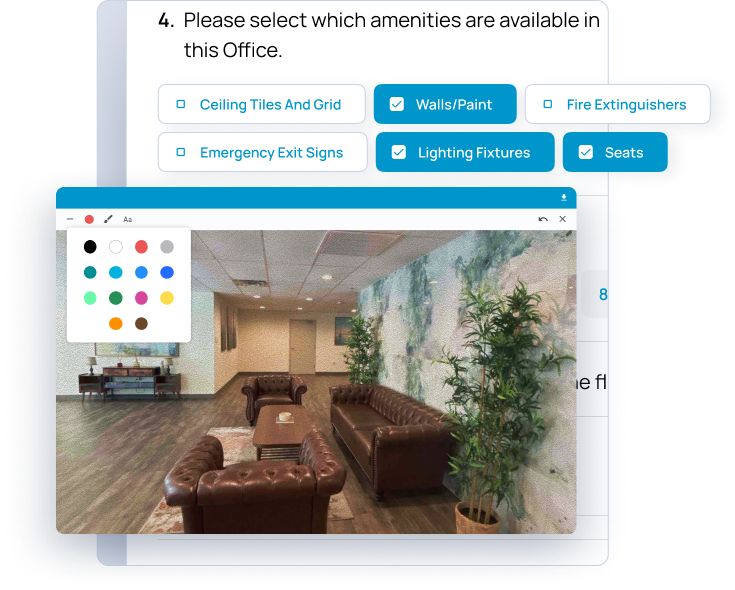
Photo and site plan markup
Annotate photos on the spot and mark up site plans to show exactly where an issue is. The record is visual, specific, and impossible to misread.

Tenant inspection scheduling
Send tenants advance notice of inspection visits as the lease requires, with the option to confirm or propose a new time. Vendor-managed calendar across every property in the portfolio.

GPS fencing
GPS fencing confirms inspections happen where and when they should, adding a layer of accountability to every field visit.

Professional inspection reports
Generate professional, out-of-the-box reports the moment an inspection is submitted, or customize report formats to match your standards.
From scheduling the visit to closing the work order, in one flow.
Every inspection follows the same path, from setup through to the reports leadership reads.
- Schedule across the property list
- Send tenant notice as the lease requires
- Confirm or accept proposed alternate time
- Build or pick inspection templates
- Conduct inspection (offline if needed)
- Add and mark up photos
- Flag follow-up items
- Mark up site plans
- Submit inspection
- Findings become work orders
- Reports generate automatically
- Portfolio data flows to BI tools
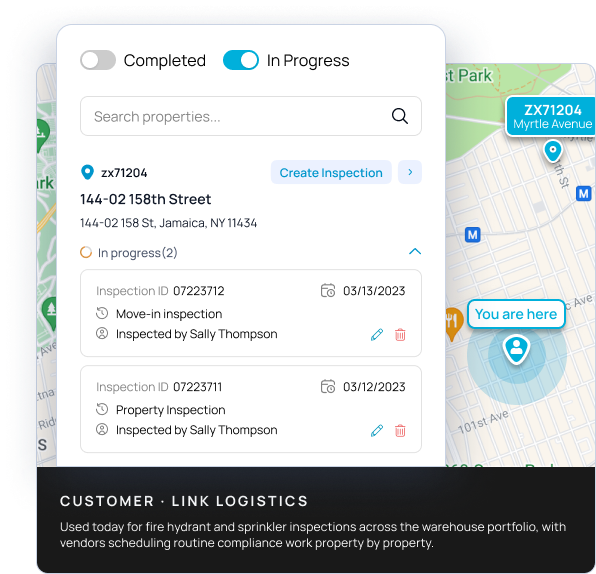
Inspections that respect what the lease says.
Most commercial leases require advance notice before a vendor can enter, and give the tenant the right to propose an alternate time. Velocity manages that conversation end to end. Send the notice. Track the responses. Accept the new time. Move on. One vendor-managed calendar across the whole portfolio. Schedule monthly, quarterly, or yearly inspections for every property in one view, instead of running them out of email threads and personal calendars.
Findings that flow downstream, not into a drawer.
The inspection is the easy part. What separates an enterprise inspection program from a clipboard with a camera is what happens next. Velocity ties into the property database, pushes findings into your work order platform, and feeds a reporting server wired to Power BI, Tableau, and other BI tools. A flagged issue becomes a work order. A pattern of findings becomes a portfolio report. The data your field teams collect finally drives the decisions it was always meant to.
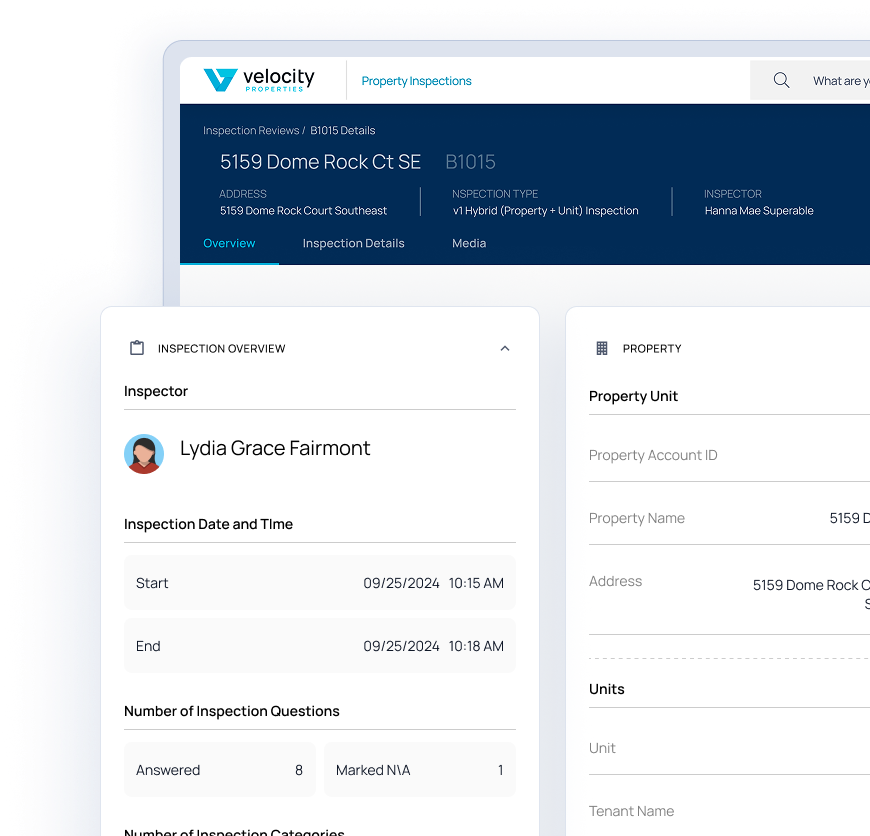
Inspection data belongs to the whole platform.
Inspections is wired into the rest of your systems so findings don't dead-end in a report.
Property database integration ties every inspection to the canonical property record, so history follows the asset, not the inspector.
Work order platform integration turns a flagged finding into an actionable work order, so issues get fixed instead of forgotten.
A reporting server connects to Power BI, Tableau, and other BI tools, turning thousands of inspections into portfolio-level insight.
What changes when every deal lives in one system.
Visits that happen on time
Scheduled tenant notice, confirmation, and alternate-time handling, all in one place. Fewer missed appointments, fewer broken lease terms, fewer wasted vendor trips.
Findings become action
Issues flagged in the field flow into work orders and reporting, so the value of every inspection is captured instead of lost in a PDF.
Faster, easier field work
A mobile-first tool that works offline means inspectors move faster on site, with no paper to transcribe and no dead zones to work around.
Portfolio-level insight
With data flowing into BI tools, leadership can see trends across thousands of inspections, not just read one report at a time.
Inspections already running on Velocity.
Field activity captured through the platform across customer portfolios today.
Inspections completed

15,773
Through the mobile module
Active properties

45,694
Available to inspect across portfolios
Link Logistics
~10,000
Field inspections at portfolio scale
Total Image Uploaded

100,122
Across all inspections
What teams ask before they commit.